New features
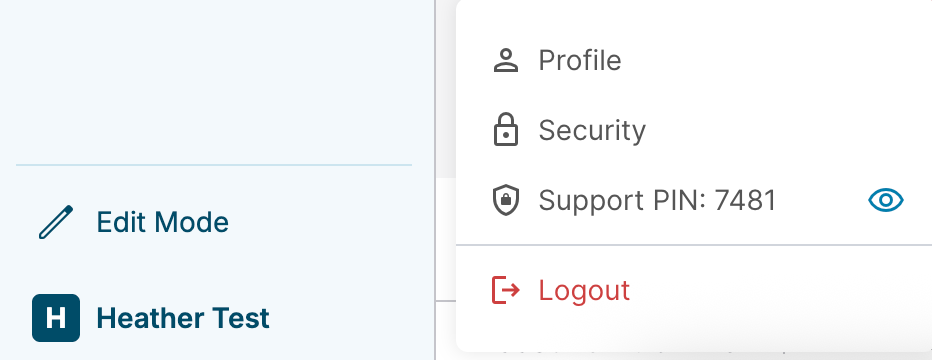
Support PIN
When you contact the Updox Support team, you must provide the four-digit Support PIN to verify your account. A Support PIN is automatically generated when you sign in to Updox for the first time.
Enhancements
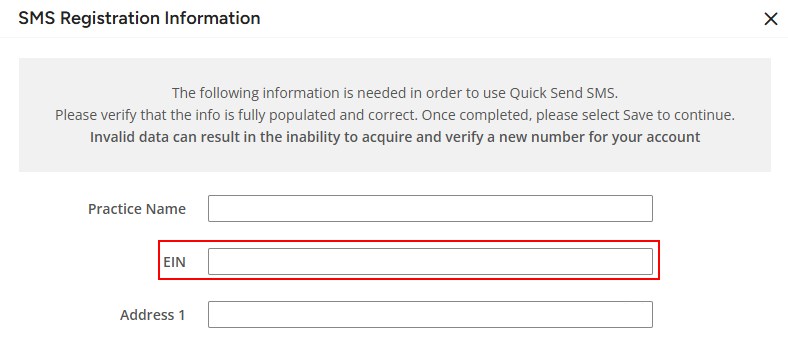
New EIN field to SMS Registration Information page
Starting in 2026, the practice's employer identification number (EIN) is required for SMS registration. We added the EIN field to the SMS Registration Information page.
Updated warning messages for EIN
Starting in 2026, the practice's EIN is required for SMS verification and registration. We updated the messages on the SMS Registration Information and Update Business Information pages to clarify that the EIN is only required for new phone numbers and new SMS verification.
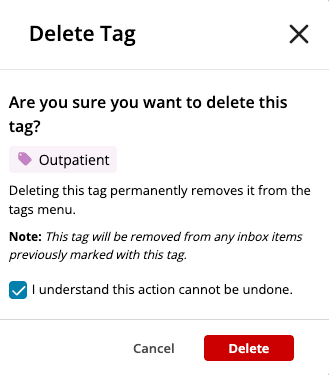
Updated Delete Tag confirmation message
When you delete a tag in Admin > Tags, you must now select the new confirmation checkbox before you can delete the tag.
Removed select all checkbox from Advanced Fax Reporting
The select all checkbox was removed from Advanced Fax Routing (AFR) to prevent users from accidentally deleting all AFR rules.
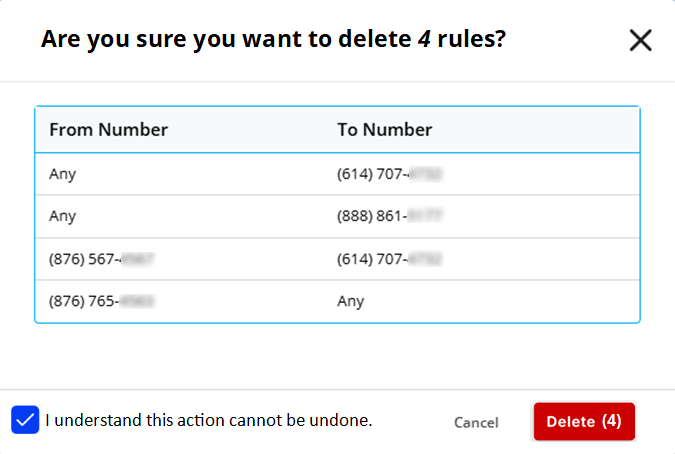
Updated AFR rule deletion confirmation message
We made the following updates to the AFR rule deletion confirmation message to prevent accidental deletions:
- Added the number of rules you are about to delete to the message title
- Added the required confirmation checkbox
- The Delete button is now red and includes the number of rules you are about to delete
Combined header
The Updox header is now combined with the app name and tabs to increase on-screen space.
| Previous header | New header |
|---|---|
 |
 |
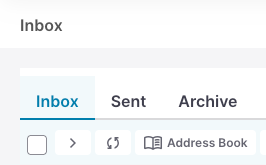
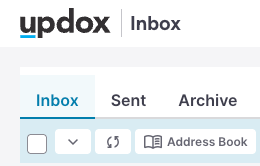
Updated Inbox action bar background color
We updated the Inbox action bar background color to provide greater contrast so the select all checkbox is more noticeable.
| Previous background | New background |
|---|---|
 |
 |
As part of this release, we are continuing our ongoing work to assess, monitor, and address any security vulnerabilities.